
In today’s world, we’re all connected to the internet more than ever. Have you thought about how safe your online activities are? As cyber threats get smarter, knowing how to browse safely is key. This section shares important tips to help you stay safe online, making sure your digital adventures are fun and secure.
Key Takeaways
- Understanding the importance of secure online practices.
- Identifying common threats you may face while browsing.
- Adopting effective techniques for safer web browsing.
- Utilizing tools and settings to enhance your internet security.
- Staying informed about the latest online scams and threats.
- Making safe browsing a habit for everyone in your family.
Understanding the Importance of Safer Internet Browsing
Safer internet browsing is key in today’s digital world. Threats like data theft and identity fraud are on the rise. It’s vital to understand the importance of safer web browsing.
Effective security measures protect personal info and boost digital safety. Knowing these basics helps people feel safer online. Simple steps like using strong passwords and avoiding phishing are crucial.
It’s urgent to learn about safe internet use. Every online action carries risk. Staying alert and developing secure browsing habits is essential to fight cyber threats.
Common Online Threats to Watch Out For
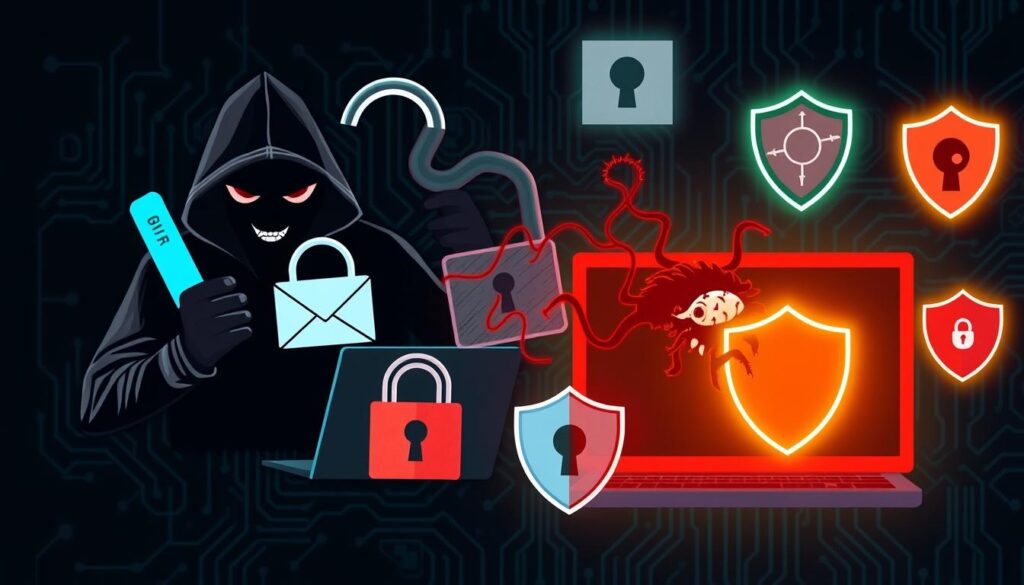
In today’s digital world, users face many online threats. These can harm their safety and privacy. It’s important to know about these risks to stay safe online. Here are some common cyber dangers to watch out for:
- Malware: Malicious software that can harm or take control of systems. It includes viruses, worms, and Trojans.
- Ransomware: A malware that locks files or systems. It demands money to unlock them. This is a big threat to people and businesses.
- Phishing Scams: Tricks to get sensitive info like passwords or credit card numbers. They pretend to be safe sites.
- Identity Theft: When thieves use your personal info to pretend to be you. This can cause financial loss and hurt your credit score.
Knowing about these threats helps us fight them better. An informed user can take steps to stay safe online. This way, we can avoid many cyber dangers.
Internet Security Tips for Everyday Users
Using basic everyday internet security tips can make your online time better. Don’t use public Wi-Fi for important stuff because it’s not safe. Use a VPN to keep your data safe and private.
Keeping your software up to date is key to staying safe online. Old software can have holes that hackers can use. Make sure your computer and apps update automatically. This helps keep you safe from online dangers.
Be careful with email attachments and links. Hackers often use these to spread malware. Always check who sent the email and think twice before opening strange files. This helps you avoid phishing scams.
Use strong passwords and consider using multi-factor authentication. These steps make your online accounts more secure. By following these internet safety tips, you can feel more confident online.
Secure Your Devices: Best Practices
Keeping your devices safe is key to protecting your data and staying safe online. By following device security best practices, you can keep your personal info safe. First, turn on firewalls to block unwanted access. Also, make sure to update your antivirus software often to fight off threats.
Turning on device encryption adds an extra layer of protection. It makes your data unreadable without the right key. Always download apps from trusted stores to avoid spyware. Also, check what permissions an app needs before you install it.
Using strong passwords and two-factor authentication can greatly improve account security. These steps help prevent identity theft and other cybercrimes. For more tips on keeping your devices safe and spotting spyware, check out this resource.
Choosing the Right Passwords for Online Safety
Understanding the importance of password safety is key in today’s digital world. Creating strong and unique passwords is crucial for protecting your online accounts. A good password strategy helps prevent unauthorized access and security breaches.
Create Strong and Unique Passwords
Creating strong and unique passwords is vital for good password management. A good password should have:
- At least 12 characters to withstand brute force attacks
- A mix of uppercase and lowercase letters for complexity
- Numbers and special characters for extra security
Using these elements makes your passwords safer and keeps off cyber threats. Each password should be different for every account. This way, if one account is hacked, others won’t be affected.
Use Password Managers for Enhanced Security
Password managers like LastPass and 1Password are great for password management. They store, generate, and retrieve complex passwords safely. This lets users avoid the trouble of remembering many passwords.
Using a password manager makes logging in easier. It ensures you use strong and unique passwords for all accounts. This is a smart way to keep your online world safe.
Safe Browsing Habits for a Healthier Online Experience
Practicing safe browsing habits is key for a healthy online life. Being alert online helps avoid threats. One important step is to check URLs before clicking.
Checking if a website is real can stop data breaches and malware. This simple check can greatly improve your safety online.
It’s also important to avoid suspicious links. Always check for odd or misspelled domains. This habit can significantly boost your online safety.
Always look for HTTPS in the URL when sharing sensitive info. HTTPS means the site uses encryption to protect your data. These steps help keep your online experience safe.
| Safe Browsing Habits | Benefits |
|---|---|
| Verify URLs | Reduces the risk of phishing attacks |
| Avoid Suspicious Links | Prevents malware infections |
| Use HTTPS sites | Protects personal and financial information |
By making these habits part of your daily online routine, you help create a safer internet for all.
Protect Yourself Online: Using Antivirus and Anti-malware Solutions
In today’s digital world, keeping your online security tight is key. Using top-notch antivirus software is a must to fight off cyber dangers. These tools scan your devices in real-time to catch and block threats. They also update regularly to keep up with new malware, making your protection stronger.
Good online safety plans include regular device scans. These scans find weak spots and fix threats fast. Look for antivirus software with firewalls, email protection, and web protection. These features help keep you safe from bad downloads and phishing scams.
Choosing trusted antivirus software can really help shield you from cyber attacks. Norton and Bitdefender are top picks for their strong protection and easy-to-use designs. They’re great choices for anyone looking for solid anti-malware defense.
When picking antivirus software, consider these factors:
| Criterion | Norton | Bitdefender |
|---|---|---|
| Malware Detection Rate | 99.9% | 99.8% |
| Impact on System Performance | Low | Very Low |
| User Interface | Intuitive | User-friendly |
| Price Range | Moderate | Affordable |
Adding antivirus and anti-malware tools to your online safety plan is smart. It gives you peace of mind and lowers your risk of cyber attacks. For personal or business use, these tools are essential for a safe online journey.
Safer web browsing Internet security tips Protect yourself online Safe browsing
For safer web browsing, following online security tips is key. First, check if a website uses HTTPS. You’ll see a padlock icon in the address bar. This shows the site is secure.
Also, avoid sharing personal info on unknown or shady sites. Always check if a site is trustworthy before sharing sensitive data.
Reading website reviews can give you valuable insights. Make sure to set your privacy settings high on websites and social media. Using two-factor authentication adds extra security to your online accounts.
Don’t forget to update your software and browsers regularly. This helps protect you from hackers who try to exploit weaknesses.
| Tip | Description |
|---|---|
| Use HTTPS | Always check for secure connections identified by « https:// » in URLs. |
| Avoid Personal Data Sharing | Never input sensitive information unless you trust the site. |
| Check Reviews | Look at customer feedback to gauge website reliability. |
| Privacy Settings | Adjust settings to limit data sharing on platforms. |
| Two-factor Authentication | Enable this feature for an additional security layer. |
| Regular Updates | Keep software and browsers current to protect against vulnerabilities. |
By following these safer web browsing guidelines, you can greatly improve your online safety. Being proactive makes your internet experience much safer.
Recognizing and Avoiding Online Scams
Online scams are becoming more common. It’s important to know how to spot them. By recognizing the signs, you can protect your personal info and money. Being aware of phishing attempts and fake websites is key.
Spotting Phishing Attempts
Phishing scams try to trick people. Look out for these signs:
- Generic greetings: Emails that say « Dear Customer » instead of your name.
- Unexpected requests: Messages that ask for personal info like passwords or social security numbers.
- Email addresses: Make sure the sender’s email matches the company’s official domain.
- Urgency: Scammers often rush you, trying to get you to act fast without thinking.
Identifying Fake Websites
Fake websites can look real. Here’s how to tell if a site is fake:
- URL analysis: Check the web address for any small changes or misspellings.
- HTTPS certificates: A secure site starts with « https:// » in the URL.
- Contact information: Real companies have easy-to-find contact details like phone numbers and addresses.
Utilizing VPNs for Enhanced Privacy
In today’s digital world, keeping your online identity hidden is key. Virtual Private Networks (VPNs) help by encrypting your internet use and hiding your IP address. This makes your data safer, especially when using public Wi-Fi.
Choosing a VPN wisely is important. Look for services like ExpressVPN and CyberGhost that offer strong security and extra privacy features. They help protect you from online dangers like spyware and unwanted tracking.
The following table outlines key features to consider when choosing a VPN service provider:
| Feature | ExpressVPN | CyberGhost |
|---|---|---|
| Encryption Standard | AES-256 bit | AES-256 bit |
| No-logs Policy | Yes | Yes |
| Number of Servers | 3,000+ | 7,000+ |
| Simultaneous Connections | 5 | 7 |
| Platform Compatibility | Windows, macOS, iOS, Android | Windows, macOS, iOS, Android |
Using a VPN makes it harder for hackers to find you online. It’s also important to use secure apps like WhatsApp. Learning how to spot and stop spyware on these apps is a big step towards staying safe online. VPNs are a must for anyone serious about their digital privacy and safety.
Staying Safe on Social Media Platforms
Maintaining social media safety is key. Start by adjusting your privacy settings. This helps control who sees your posts and personal info. It’s a first line of defense against threats.
Regularly check your privacy settings. This ensures only trusted people see your content. It’s a simple way to keep your online world safe.
Be careful with friend requests. Always check if a profile is real before accepting. Scammers use fake profiles to steal your info. A quick profile check can save you from trouble.
Think twice before posting sensitive info. Even small details can be used against you. Don’t share your location, contact info, or big life events. Keep your posts general to stay safe.
Using internet safety tips can help too. Stay informed about social media dangers. By being proactive, you can enjoy social media safely and protect your personal info.
| Safety Tip | Description |
|---|---|
| Review Privacy Settings | Regularly adjust who can see your posts and personal information. |
| Verify Friend Requests | Check the authenticity of profiles before accepting requests. |
| Think Before You Post | Avoid sharing sensitive or real-time information publicly. |
| Stay Educated | Keep up with the latest trends and risks associated with social networking. |
Internet Browsing Best Practices for Families
Keeping your family safe online starts with teaching everyone about safe browsing. Knowing about online dangers is key to a safe digital space. Parents must guide and talk openly about how to use the internet.
Using parental controls on devices can block bad content and limit screen time. These tools help watch what kids do online and teach them to browse safely. They help kids make smart choices when they’re online.
Teaching kids about scams and suspicious links is important. It’s crucial to teach them to be careful and ask questions if they’re not sure about a website or online interaction.
- Make a family tech agreement that outlines good online behavior.
- Encourage kids to share their online experiences and worries.
- Talk about the importance of privacy settings on social media.
- Use educational resources to teach kids about staying safe online.
Being involved in your kids’ online lives helps create a safe browsing culture. Talking about their online experiences keeps everyone informed and ready for new digital challenges.
Conclusion
Keeping the internet safe is key to protecting yourself online. We’ve talked about many ways to stay safe, like using strong passwords and VPNs. Each step helps you stay ahead of online dangers.
It’s important to always be careful online. New threats pop up all the time, so we need to keep learning how to protect ourselves. By taking steps now, you can lower your risks in the future.
Stay up to date and remember these tips. Learning about safe browsing is a big part of staying safe online. With the right knowledge and tools, you can surf the internet safely and confidently.